Dharitree Assam (ILRMS): Land Records & Jamabandi Online
Dharitree is the Integrated Land Records Management System (ILRMS) created by the Government of Assam. It empowers citizens to digitally verify property ownership, access Jamabandi (RoR), view detailed cadastral maps (Bhunaksha), and check e-Panjeeyan registration statuses without visiting the Circle Office.
Last Updated: April 2026
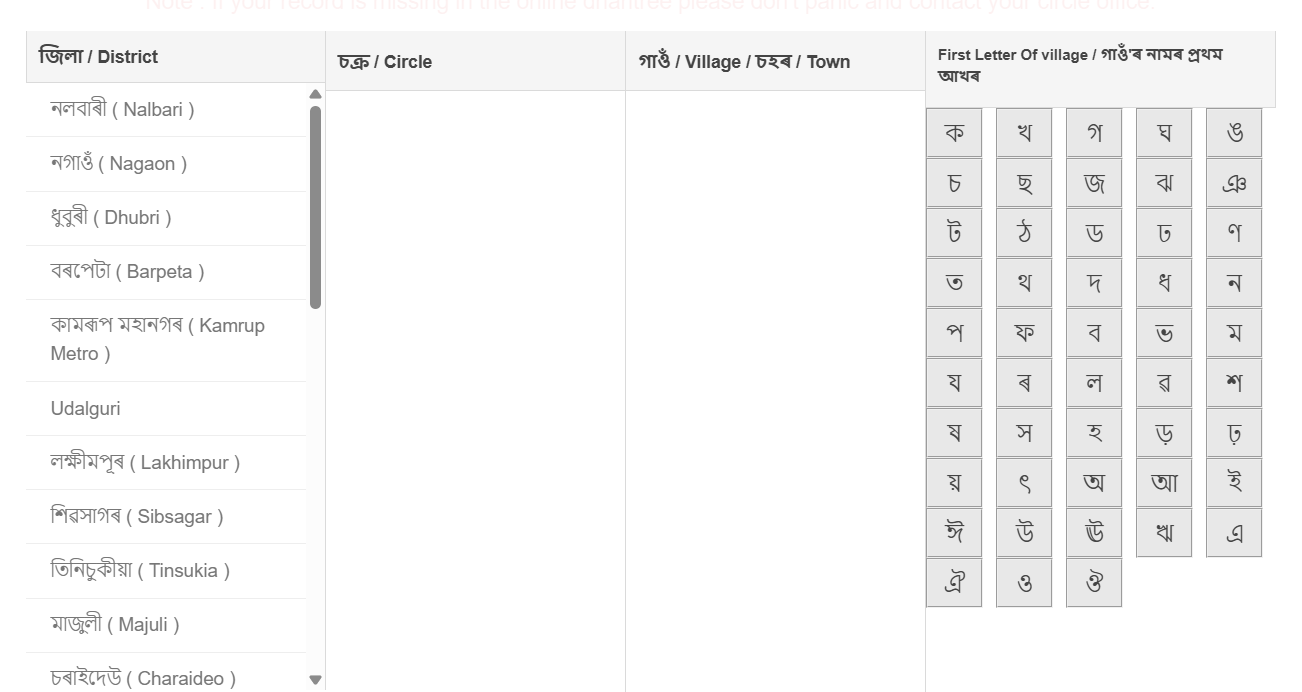
Primary Services Overview
How to Check Jamabandi Land Records Online?
Through the Dharitree portal, verifying land ownership using your Dag Number or Patta Number is incredibly simple. Follow these steps to obtain a digital copy of your land records.
Step 1: Access the Land Record Portal
Visit the official Assam ILRMS website and navigate to the Jamabandi section. This is the primary module for displaying the Record of Rights (RoR).
Step 2: Enter Location Details
From the dropdown menus, input your localized land details accurately:
- District: E.g., Kamrup Metropolitan
- Circle: Your relevant Revenue Circle
- Village/Town: The specific Mouza or Village
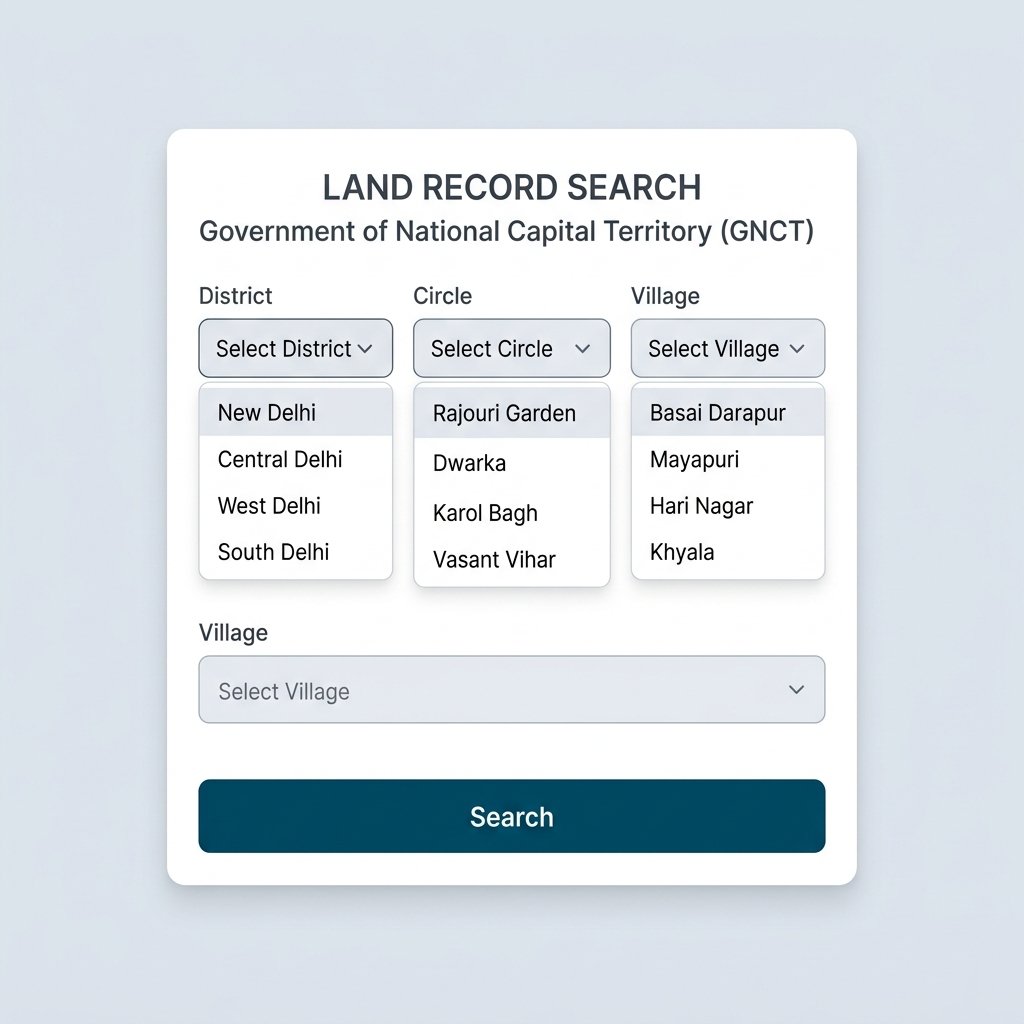
Step 3: Search using Dag or Patta Number
Once your area is selected, you can query the database using your Dag No., Patta No., or the owner's name (Pattadar Name). Enter the captcha code and hit Search. The resulting Jamabandi copy will display ownership splits, land class, and exact area measurements.
How to View Assam Bhunaksha (Cadastral Maps)
Dharitree integrates directly with Bhunaksha to provide vector-based map representations of all surveyed land plots in Assam.
Viewing the Digital Map
Click on the Bhunaksha module on the homepage. Similar to Jamabandi, select your District, Circle, and Village. A visual map will render indicating distinct land plots separated by colored polygons and numbering sequences.
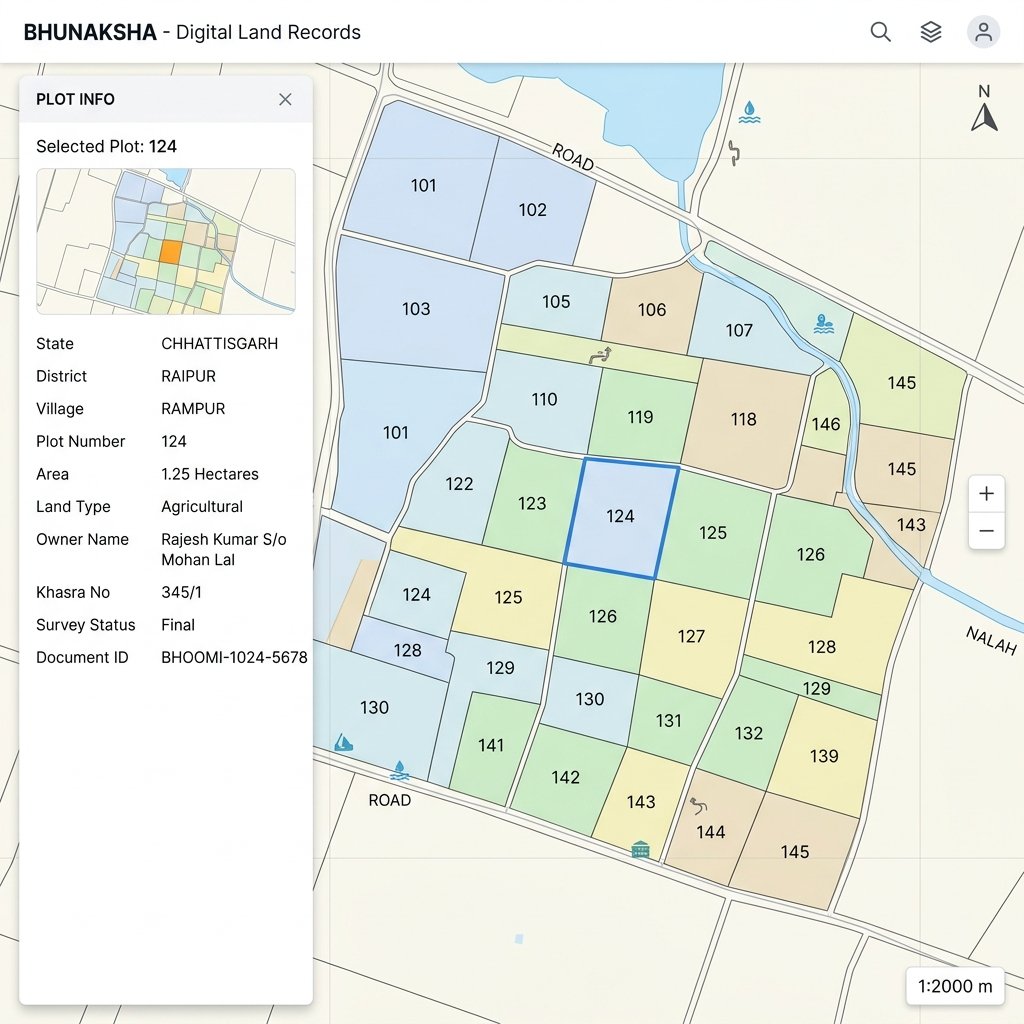
Downloading the Plot Report
Tap on your specific plot polygon on the map. A side panel will appear showing the Plot Info, including owner information. Click on Map Report to generate a printable PDF document of the map scale with legal borders.
Using e-Panjeeyan for Property Registration
e-Panjeeyan is Assam's modernized property registration application embedded within the Dharitree ecosystem. It handles deed registration and tracking.
Deed Verification & Tracking
Users can look up flat/apartment registrations and land transaction deeds directly through the portable mobile UI. By entering your Registration Application Number, you can quickly verify non-encumbrance or fetch the digitized Registration Deed.
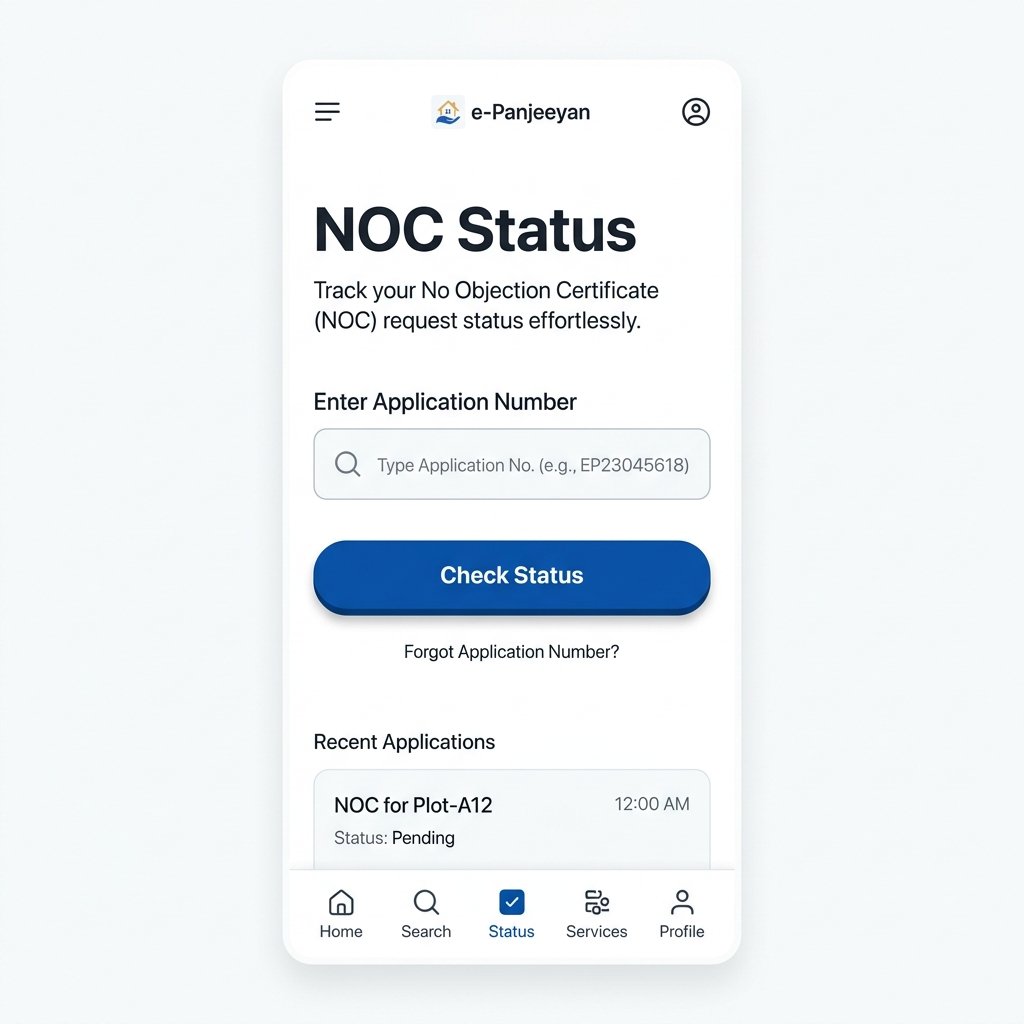
No Objection Certificate (NOC) for Transfer of Property
In Assam, before registering a sale deed for land transfer, acquiring a No Objection Certificate from the Deputy Commissioner (DC) or Circle Officer is mandatory.
- Go to the NOC Services tab on ILRMS.
- Submit the buyer and seller details along with the Jamabandi copy.
- You can track the ongoing approval status inside the portal using your Application ID. Once approved, the NOC can be downloaded instantly.
Frequently Asked Questions (FAQs)
1. What is Dharitree Assam?
Dharitree is the official web portal of the Revenue and Disaster Management Department, Govt. of Assam, under the ILRMS project, designed to computerize land records, registration, and survey operations.
2. Do I have to pay to view Jamabandi online?
No, viewing the Jamabandi details and searching by Dag/Patta number is completely free for citizens on the Dharitree portal.
3. What is a "Dag Number" and "Patta Number"?
A Dag number is a unique identification number assigned to a specific land plot or parcel in the revenue records. The Patta number represents the legal ownership document establishing the leasehold right of the individual (Pattadar) over that plot.
4. Why does my plot not appear on Bhunaksha?
If your village map has not been entirely digitized yet, or if there was an error during the state-wide cadastral survey, your plot might not render. You'll need to contact your local Circle Office for map rectifications.
5. Is an online Jamabandi copy legally valid for court cases?
The online Jamabandi generated on plain paper is usually for informational purposes only. For court cases or official legal proceedings, you must obtain a Certified Copy with a physical signature/stamp from the Circle Office.